This library is built differently. Every activity carries the group size it actually suits, how long it takes, and what it costs. They are grouped by what you are trying to accomplish, not by whatever order they were written in. Twenty of them include full instructions, because those are the ones people actually run.
If you have eight people and twenty minutes, start with the icebreakers. If you have 200 people across four time zones, skip to the large group and async sections. Almost everything here works for fully distributed teams. One section is written specifically for teams that are mostly remote with a few people in an office, because that describes more teams than the word remote suggests.
What You Will Find in This Guide
- Why Virtual Team Building Still Matters
- What Makes an Activity Actually Work
- Quick Icebreakers Under Five Minutes (1 to 14)
- Getting to Know Each Other (15 to 28)
- Games and Competitions (29 to 48)
- Creative and Hands-On (49 to 61)
- Wellness and Movement (62 to 72)
- Learning and Skill Sharing (73 to 84)
- Recognition and Celebration (85 to 94)
- Async and Across Time Zones (95 to 106)
- Large Groups of Fifty or More (107 to 117)
- Hybrid Inclusive (118 to 126)
- Charity and Volunteering (127 to 135)
- Seasonal and Holiday (136 to 150)
- How to Choose the Right Activity
- Frequently Asked Questions
Why Virtual Team Building Still Matters for Distributed Teams
Distributed work removes the small, unplanned interactions that build relationships. There is no walk to the coffee machine, no overheard joke, no lingering after a meeting ends. What replaces it is a calendar of scheduled calls with agendas, and relationships do not form well inside agendas.
The research supports what most remote managers already sense. Gallup's research on workplace loneliness has consistently found that fully remote employees report higher daily loneliness than on-site peers. In the 2024 edition, 25 percent of fully remote employees reported feeling lonely a lot of the previous day, compared with 16 percent of fully on-site workers, with hybrid employees between the two at 21 percent. Later editions move the numbers around, but the pattern holds.
Buffer's 2023 State of Remote Work surfaced something related and easy to miss. Thirty-three percent of remote workers said their biggest struggle was staying home too often because they had no reason to leave, and 23 percent selected loneliness. Those two problems compound each other.
None of this means an escape room fixes it. It means connection has to be designed rather than assumed. Trade analysis of the Gallup findings makes a point worth holding onto: workplace loneliness has not responded well to generic wellbeing programs. What moves it is repeated, low-stakes contact between the same people over time. That is an argument for a fifteen-minute weekly ritual more than an argument for one annual virtual gala.

What Makes a Virtual Team Building Activity Actually Work
Before the list, a filter. Activities fail for predictable reasons.
It has to start in under two minutes
If people spend the first ten minutes installing something, creating an account, or troubleshooting audio, the energy is gone before the activity begins. The best remote activities run on the video tool you already use.
It has to allow more than one way to participate
Some people will happily perform. Others will not, and forcing them produces compliance rather than connection. Activities that accept chat responses, reactions, or written submissions alongside speaking get far higher real participation.
It has to fit the time you actually have
A 90-minute activity scheduled for a team that is behind on deliverables will be resented no matter how good it is. Match the format to the week you are actually in.
It has to leave something behind
The value shows up three weeks later, when someone references what happened. Activities that produce a shared memory, an inside joke, or an artifact outperform activities that just fill an hour.
It should not turn one person into an unpaid event planner
If the same person on your team is quietly doing four hours of logistics every month, the program has a cost you are not counting, and it usually ends with that person stopping without telling anyone.
Which Quick Icebreakers Work in Under Five Minutes
Meeting openers, not events. Use these to shift a group from working alone to working together. For more in this format, see our guide to 5-minute team building activities.
1. Emoji Mood Check
- Best for: Any size
- Time: 2 minutes
- Cost: Free
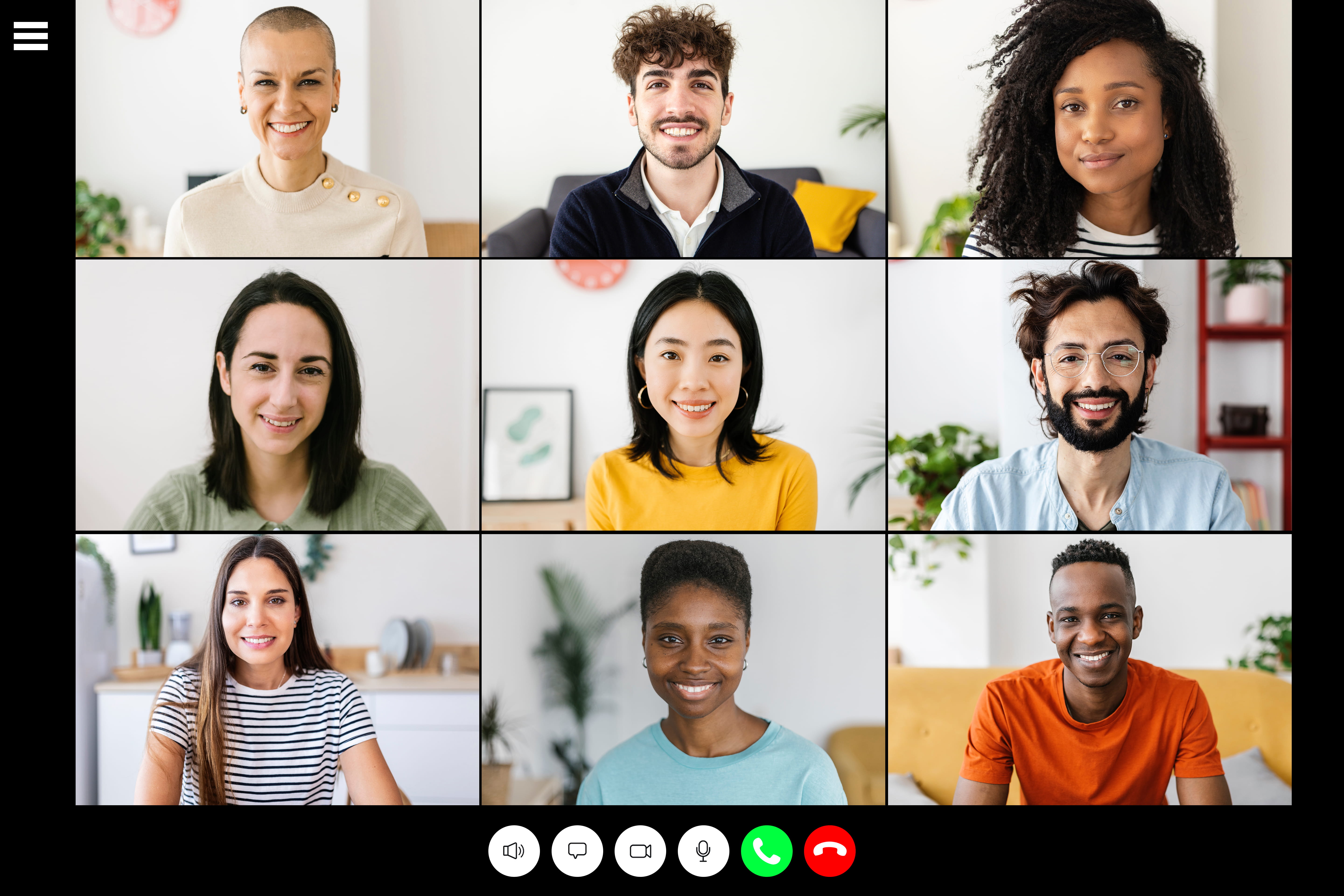
Everyone drops a single emoji in chat representing how their week is going. Fast, visual, and it surfaces more honesty than asking "how is everyone doing" ever does.
2. Rose, Bud, Thorn
- Best for: 4 to 15 people
- Time: 5 minutes
- Cost: Free
Each person shares one good thing, one thing they are looking forward to, and one challenge. Builds empathy quickly without requiring anyone to overshare.
3. This or That
- Best for: Any size
- Time: 3 minutes
- Cost: Free
Rapid either-or questions answered simultaneously in chat. Coffee or tea. Beach or mountains. Reply all or BCC. Zero pressure and a very high response rate.
4. One Word Weather Report
- Best for: Any size
- Time: 2 minutes
- Cost: Free
Each person describes their current state as weather. "Overcast with a chance of deadlines." Gives a manager a read on the room in seconds.
5. Lightning Scavenger Hunt
- Best for: Any size
- Time: 3 minutes
- Cost: Free
Sixty seconds to find something blue, something older than you, or something you would grab in a fire. Gets people physically out of their chairs, which resets energy fast. For longer formats and a bigger prompt list, see our scavenger hunt ideas for work.
6. GIF Battle
- Best for: 5 to 30 people
- Time: 5 minutes
- Cost: Free
Post a prompt, and everyone responds with a GIF only. Vote for the winner using reactions. Surprisingly competitive for something that takes five minutes.
7. Word Association Chain
- Best for: 4 to 12 people
- Time: 3 minutes
- Cost: Free
Start with one word and go around the group with related words until someone stalls. Warms up exactly the part of the brain you want active in a brainstorm.
8. Desk Item Story
- Best for: 4 to 15 people
- Time: 5 minutes
- Cost: Free
One person holds up something within arm's reach and explains why it is there. Rotate who goes each meeting so it never takes more than a few minutes.
9. Two Truths and a Lie
- Best for: 4 to 15 people
- Time: 10 minutes
- Cost: Free
How to Play
- Each person prepares three statements about themselves. Two true, one false.
- Go around the group. One person reads all three in any order, with no explanation.
- Everyone else votes on which is the lie, in chat, at the same time.
- The speaker reveals the answer and gives the story behind the strangest true one.
- Scoring is optional. Track correct guesses if the group is competitive.
Best used with new teams or after onboarding, when there is still genuine information to discover. It flattens on a team that has worked together for years.
10. Countdown Wins
- Best for: Any size
- Time: 3 minutes
- Cost: Free
Everyone types one win from the past week into chat at the same time on a count of three. Simultaneous posting removes the pressure of going first.
11. Highs and Lows
- Best for: 4 to 12 people
- Time: 5 minutes
- Cost: Free
One high point and one low point from the week, work or personal, participant's choice. The lows are what build trust, so leaders should go first and go honest.
12. Would You Rather
- Best for: Any size
- Time: 3 minutes
- Cost: Free
One absurd choice per meeting, answered by reaction or poll. Keep them light. The debate afterwards is the actual activity.
13. Emoji Story Decode
- Best for: 5 to 25 people
- Time: 5 minutes
- Cost: Free
Someone describes their weekend using only emojis and the group decodes it. Works better than it sounds and takes almost no preparation.
14. One Minute Appreciation
- Best for: 4 to 20 people
- Time: 3 minutes
- Cost: Free
Open a meeting by having two randomly selected people thank a colleague for something specific from the past week. Specificity is the whole point.
Which Activities Help Teammates Get to Know Each Other
Deeper than an icebreaker, lighter than an event. These earn their place in the first months of a new team or after a reorganization.

15. Personal Facts Guessing Game
- Best for: 6 to 25 people
- Time: 25 minutes
- Cost: Free
How to Play
- A week ahead, ask everyone to privately submit one obscure fact about themselves through a form.
- Compile the facts into a numbered list. Do not attribute them.
- On the call, read them one at a time or share the list on screen.
- Everyone guesses who each fact belongs to, writing answers privately.
- Reveal one at a time and let each person tell the story behind theirs.
The reveal is the good part, not the guessing. Budget more time for it than you expect.
16. Birth Map
- Best for: Any size
- Time: 15 minutes
- Cost: Free
Everyone drops a pin on a shared map for where they were born, with a one-line note about their favorite thing from that place. Stays up permanently as a reference.
17. Workspace Tour
- Best for: 4 to 15 people
- Time: 10 minutes
- Cost: Free
A 30-second tour of someone's desk or home office. Can be live or pre-recorded and posted for people in other time zones to watch later.
18. Baby Photo Guess
- Best for: 8 to 40 people
- Time: 15 minutes
- Cost: Free
Everyone privately submits a photo from around ages two to five, then the group guesses. Toddler photos work better than infant ones because features are more distinct.
19. Picture Sharing
- Best for: Any size
- Time: 10 minutes
- Cost: Free
One non-work photo per meeting with the story behind it. Pets, hobbies, travel, whatever people want. Becomes a standing ritual within a month.
20. Bucket List Exchange
- Best for: 5 to 20 people
- Time: 20 minutes
- Cost: Free
Five minutes to write three bucket list items, then share. Pair up people with overlapping goals and let them hold each other accountable afterwards.
21. Guess the Emoji Board
- Best for: 5 to 20 people
- Time: 10 minutes
- Cost: Free
Guess each teammate's five most-used emojis. Points for accuracy, bonus points for getting the order right. Reveals more about people than it should.
22. Personality Type Compare
- Best for: 5 to 25 people
- Time: 30 minutes
- Cost: Free
Everyone takes the same free assessment and shares results. Useful for spotting complementary working styles. Much less useful if the team starts treating results as destiny.
23. Shared Meal Call
- Best for: 4 to 15 people
- Time: 45 minutes
- Cost: Free
Everyone eats together on video, and each person talks about the dish they made or ordered. Works particularly well on culturally mixed teams, where the food carries the story.
24. First Job Stories
- Best for: 5 to 20 people
- Time: 15 minutes
- Cost: Free
Everyone describes their worst or strangest first job. Reliably produces the best stories in this entire guide and flattens hierarchy faster than anything else here.
25. Hidden Talent Reveal
- Best for: 6 to 30 people
- Time: 20 minutes
- Cost: Free
Each person demonstrates or describes something they are good at that has nothing to do with work. Give a week's notice so people can prepare.
26. Then and Now
- Best for: 5 to 25 people
- Time: 15 minutes
- Cost: Free
Share what you wanted to be at age ten alongside what you actually do now. The gap between the two is where the conversation lives.
27. Life in Five Photos
- Best for: 5 to 20 people
- Time: 30 minutes
- Cost: Free
Each person picks five photos that summarize their life so far and walks the group through them. Slower and more personal than most items here, and worth scheduling deliberately.
28. Ask Me Anything Rotation
- Best for: 8 to 50 people
- Time: 30 minutes monthly
- Cost: Free
One person per month takes questions from the team, submitted anonymously in advance. Works especially well for leaders who want to be less abstract to the people they manage.
What Games and Competitions Work Best Over Video
The highest energy category and the one most likely to need a host. For more in this vein, see our roundup of virtual games to play with coworkers.
29. Virtual Trivia Night
- Best for: 10 to 500 people
- Time: 45 to 90 minutes
- Cost: Free to host
How to Play
- Split into teams of four to six. Assign each team a breakout room and a name.
- Run four to six rounds of eight questions, each round a different category.
- Read questions to the whole group, then send teams to breakout rooms for two minutes to agree on an answer.
- Teams submit answers through chat or a shared form. One submission per team.
- Score between rounds and show a running leaderboard. Momentum comes from the leaderboard, not the questions.
Scales further than almost anything else in this guide because everyone plays simultaneously. Mix difficulty deliberately so no single person on a team carries it. If you would rather not write questions or keep score, Trivia Time is the hosted version.
30. Online Escape Room
- Best for: 4 to 15 people
- Time: 45 to 60 minutes
- Cost: Paid
How to Play
- Book a hosted digital room or use a self-run puzzle pack.
- Split into groups of four to six. Larger groups mean people spectate rather than solve.
- Assign roles at the start: one note-taker, one person driving the shared screen, everyone else solving.
- Set a hard time limit and stick to it, even if a group is close.
- Debrief afterwards on how the group made decisions, not on whether they escaped.
The debrief is where the team building actually happens. Skipping it turns this into an hour of puzzles.
31. Coworker Feud
- Best for: 8 to 40 people
- Time: 45 minutes
- Cost: Free
How to Play
- A week ahead, survey the whole team with six to eight opinion questions. "Name something people always forget on a video call."
- Tally the answers and build a board with the top five responses per question.
- Split into two teams. One person from each team faces off to guess the most popular answer.
- The winning team plays out the board, with three strikes before the other team can steal.
- Reveal the full survey results at the end, including the strangest single answers.
The survey step is what makes this land. Skipping it and using generic questions loses most of the value.
32. Virtual Jeopardy
- Best for: 8 to 50 people
- Time: 45 minutes
- Cost: Free
How to Play
- Build a six-by-five board mixing company history, industry knowledge, and pop culture.
- Split into teams. Teams pick a category and value in turn.
- The first team to react or unmute answers. Wrong answers pass to the next team.
- Include one Daily Double where a team wagers points before seeing the question.
- Run Final Jeopardy with a written wager from every team.
Company history categories consistently outperform pop culture ones, because they reward people who have been around and teach people who have not.
33. Can You Hear Me Now
- Best for: 5 to 20 people
- Time: 20 minutes
- Cost: Free
How to Play
- One person is the speaker; everyone else is an artist with paper or a drawing tool.
- The speaker finds a random image and describes it using only geometric shapes and positions.
- No naming objects, no letters, no numbers. "A large circle with three triangles below it" is allowed. "Draw a cat" is not.
- Artists draw what they hear. No questions permitted.
- Everyone reveals at once, then the original image is shared.
- Rotate the speaker and run it again.
A sharper test of communication precision than most paid workshops, and it costs nothing.
34. Werewolf
- Best for: 7 to 20 people
- Time: 30 to 60 minutes
- Cost: Free
How to Play
- One person is the moderator and does not play. Assign roles privately by direct message.
- Most players are villagers. Two are werewolves. Optionally add a seer and a doctor.
- During the night phase, everyone closes their eyes or turns cameras off. Werewolves privately message the moderator with a target.
- During the day phase, the moderator announces who was eliminated. The group discusses and votes to eliminate a suspect.
- Repeat until werewolves are eliminated or they outnumber villagers.
Generates more genuine discussion than any other game here, which is the point. Needs a confident moderator to work.
35. Codenames
- Best for: 4 to 16 people
- Time: 30 minutes
- Cost: Free
How to Play
- Two teams, each with one spymaster who can see which words belong to which team.
- The spymaster gives a one-word clue plus a number, indicating how many words the clue covers.
- Their team guesses words from the grid. A wrong guess ends the turn or, worse, helps the other team.
- Teams alternate until one has identified all their words or hits the assassin.
Rewards knowing how your teammates think, which is why it improves the longer a team plays together.
36. Draw and Guess
- Best for: 5 to 20 people
- Time: 20 minutes
- Cost: Free
How to Play
- Use any browser-based drawing game. No accounts, no downloads, one shared link.
- One person draws a prompt while everyone else guesses in chat.
- Points go to correct guessers and to the drawer, weighted by speed.
- Rotate through everyone at least twice.
The lowest-friction game in this guide. Useful when you have twenty minutes and no plan.
37. Online Team Bingo
- Best for: Any size
- Time: Ongoing during a call
- Cost: Free
Bingo cards filled with remote work moments. "Sorry, I was on mute." "Dog in the background." "Can everyone see my screen?" Runs quietly in the background of a longer meeting. For a hosted version with prepared cards and a live caller, see Virtual Bingo.
38. Jackbox Party Pack
- Best for: 4 to 20 people
- Time: 30 to 60 minutes
- Cost: Paid, one purchase
One person screen shares and everyone joins from their phone with a room code. Quiplash and Split the Room are the reliable openers for a work group.
39. Word Game Tournament
- Best for: 4 to 30 people
- Time: Ongoing over a week
- Cost: Free
Bracket-style matches in a shared word game, played asynchronously between meetings. Low effort to organize and produces a long tail of trash talk in channels.
40. Typing Speed Relay
- Best for: 6 to 40 people
- Time: 15 minutes
- Cost: Free
Everyone takes a typing test, and scores are added up by team rather than individual. Absurd, competitive, and requires almost no setup.
41. Caricature Competition
- Best for: 6 to 30 people
- Time: 30 minutes
- Cost: Free
Small groups, fifteen minutes, everyone draws a teammate. Reconvene and play Guess Who with the results. The worse the drawings, the better this works.
42. Online Murder Mystery
- Best for: 8 to 25 people
- Time: 60 to 120 minutes
- Cost: Paid
Assigned characters, a fictional case, and a group that has to actually talk to each other to solve it. Best for teams that already have some comfort together. Virtual Murder Mystery handles the casting and the script so nobody on your team has to write one.
43. Virtual Scavenger Hunt
- Best for: Any size
- Time: 25 minutes
- Cost: Free
How to Play
- Prepare fifteen prompts. Mix literal ones ("something red") with subjective ones ("something you would save in a fire").
- Read one prompt at a time. Give sixty seconds.
- Players race to find the item and hold it up on camera. First back scores.
- For subjective prompts, skip the scoring and let people explain instead.
- End with the most personal prompt on your list.
The subjective prompts are what turn a race into a conversation. A hunt made only of literal items is just cardio.
44. Emoji Movie Quiz
- Best for: Any size
- Time: 15 minutes
- Cost: Free
Films, songs, or company projects rendered as emoji strings. Everyone guesses in chat. Easy to build and easy to theme for a season or a launch.
45. Speed Puzzle Race
- Best for: 6 to 24 people
- Time: 20 minutes
- Cost: Free
Teams race to complete the same online jigsaw in breakout rooms. Simple, oddly gripping, and genuinely collaborative because everyone can move pieces at once.
46. Team Quiz Bracket
- Best for: 16 to 100 people
- Time: Over a month
- Cost: Free
A knockout bracket of short quizzes between small teams, one round per week. Spreads the fun across a month instead of concentrating it in one exhausting call.
47. Guess the Sound
- Best for: Any size
- Time: 15 minutes
- Cost: Free
Play short audio clips of everyday sounds and have people identify them in chat. Accessible for anyone who prefers not to be on camera.
48. Photo Caption Contest
- Best for: Any size
- Time: 10 minutes
- Cost: Free
One strange image, everyone submits a caption, the group votes anonymously. Runs in chat, takes ten minutes, and works async just as well as live.
Which Creative Activities Suit Remote Teams
Slower, more tactile, and they leave something behind. Good for teams that are tired of competing.

49. Virtual Painting Workshop
- Best for: 6 to 100 people
- Time: 60 to 90 minutes
- Cost: Paid
An instructor walks everyone through a single painting step by step. Materials can be shipped in advance. Nobody needs to be able to paint, which is most of the appeal. Pouring Paint Art Class is a hosted option with the materials handled.
50. Origami Zoo
- Best for: Any size
- Time: 15 minutes weekly
- Cost: Low
Mail out paper or have people cut squares. One new animal per week, building over a couple of months into a small collection on everyone's desk. An origami class with a live instructor works well as the first session before the team continues on its own.
51. Collaborative Craft Project
- Best for: 8 to 50 people
- Time: Several weeks
- Cost: Low
Everyone makes one piece of a larger whole, such as a painted tile or a paper quilt square. Each piece is photographed and composited into a single digital artwork the whole team keeps.
52. Make a Video Challenge
- Best for: 6 to 40 people
- Time: One month
- Cost: Free
A monthly theme and everyone produces a short video shot at home. Free editing tools are plenty. The submissions are always stranger than anyone expects.
53. Team Podcast
- Best for: 3 to 10 people
- Time: Ongoing
- Cost: Low
Pick a theme, record a short episode monthly, and circulate it internally. Doubles as a record of what the team was thinking about at the time.
54. Virtual Cooking Class
- Best for: 6 to 100 people
- Time: 60 to 120 minutes
- Cost: Paid
A chef leads everyone through one recipe together. Ingredient kits shipped in advance turn this into a real shared experience rather than a video people half-watch. Around the World Cooking runs this format with a chef and a different cuisine each session.
55. Collaborative Playlist
- Best for: Any size
- Time: Ongoing
- Cost: Free
A themed shared playlist anyone can add to. "Songs from your first concert." "Music you cannot work to." Runs entirely in the background and costs nothing to maintain.
56. Team Photo Challenge
- Best for: Any size
- Time: One week per round
- Cost: Free
A weekly prompt, one photo per person, posted in a shared channel. Low effort, and it accumulates into an actual visual record of the team's year.
57. Digital Doodle Wall
- Best for: 5 to 50 people
- Time: Ongoing
- Cost: Free
A shared whiteboard left open permanently for sketches, memes, and notes. The remote equivalent of the wall next to the printer.
58. Virtual Mixology or Mocktail Class
- Best for: 6 to 60 people
- Time: 60 minutes
- Cost: Paid
An instructor leads the group through two drinks. Always run a non-alcoholic track in parallel rather than as an afterthought, or you will quietly exclude part of the team.
59. Candle or Soap Making Kit
- Best for: 6 to 50 people
- Time: 90 minutes
- Cost: Paid
Kits shipped ahead, made together on a call. People keep the result, which means the activity stays visible on a shelf long after the call ends. Hosted versions exist for both, candle making and soap making, with the kits shipped for you.
60. Team Mascot Design
- Best for: 5 to 30 people
- Time: 45 minutes
- Cost: Free
The team invents a mascot together, then everyone draws their own interpretation. Vote on a winner and use it in channels afterwards.
61. Six Word Story Contest
- Best for: Any size
- Time: 15 minutes
- Cost: Free
A prompt, a six-word limit, anonymous submissions, and a vote. The constraint is what makes it work, and it favours people who write rather than perform.
What Wellness and Movement Activities Work Remotely
Remote work is sedentary, and the boundary between work and home is thin. These are the ones that get repeated rather than done once and abandoned.

62. Virtual Team Yoga
- Best for: Any size
- Time: 30 to 45 minutes
- Cost: Free to paid
Follow a video or bring in an instructor. Cameras are optional, and that matters more here than anywhere else in this guide. Yoga Zen is a hosted session if you would rather have someone reading the room than a recording nobody can pause.
63. Remote Tai Chi
- Best for: Any size
- Time: 20 minutes
- Cost: Free to paid
Gentle, accessible, and requires no floor space or equipment. Works for teams where a fitness challenge would exclude people.
64. Guided Meditation Session
- Best for: Any size
- Time: 10 to 30 minutes
- Cost: Free to paid
Ten quiet minutes in the middle of a busy day. Schedule it as a recurring optional block rather than a one-off event, or it will not stick. Mindfulness Meditation brings in a facilitator, which helps for a team that has never done this together.
65. Step Count Challenge
- Best for: 10 to 200 people
- Time: One month
- Cost: Free
Tracked through phones and scored by team rather than individual, so the fittest person does not simply win. Team scoring is what keeps everyone else in it.
66. Hydration Challenge
- Best for: Any size
- Time: One month
- Cost: Free
A shared tracker, a daily target, a monthly winner. Genuinely the lowest-barrier challenge available and one of the few that includes everyone.
67. Desk Stretch Break
- Best for: Any size
- Time: 5 minutes
- Cost: Free
A short guided stretch at the top of a long meeting. Sounds trivial and is consistently one of the most requested items on wellbeing surveys.
68. Gardening Challenge
- Best for: 5 to 50 people
- Time: One month
- Cost: Low
Grow something from scratch over a month, from seeds, cuttings, or kitchen scraps. Photo updates in a shared channel track everyone's progress.
69. Activity of Choice Challenge
- Best for: Any size
- Time: One month
- Cost: Free
Everyone picks their own daily habit and tracks streaks in a shared sheet. Avoids the exclusion problem that comes from prescribing one activity for a whole team.
70. Sleep Reset Challenge
- Best for: Any size
- Time: Two weeks
- Cost: Free
A consistent bedtime target tracked privately, with only participation shared publicly. Keep the data private. Publishing sleep scores is a fast way to make people opt out.
71. Walking Meeting
- Best for: 2 to 5 people
- Time: 30 minutes
- Cost: Free
Convert a recurring one-to-one or small sync into an audio-only call taken on foot. Solves the "no reason to leave the house" problem directly.
72. Screen-Free Hour
- Best for: Any size
- Time: 1 hour weekly
- Cost: Free
A protected hour with no meetings and no messages, company-wide. Not an activity in the usual sense, and more valued than most things that are.
How Can Teams Learn and Share Skills Together
These build capability and connection at the same time, which makes them far easier to justify on a calendar.
73. Show and Learn Sessions
- Best for: 5 to 30 people
- Time: 30 minutes
- Cost: Free
How to Play
- One person per session teaches the team something they are good at. Work-related or not.
- Cap presentations at fifteen minutes to keep the barrier low.
- Leave fifteen minutes for questions. The questions are usually better than the talk.
- Maintain a signup sheet so people volunteer rather than being assigned.
- Record sessions for anyone in another time zone.
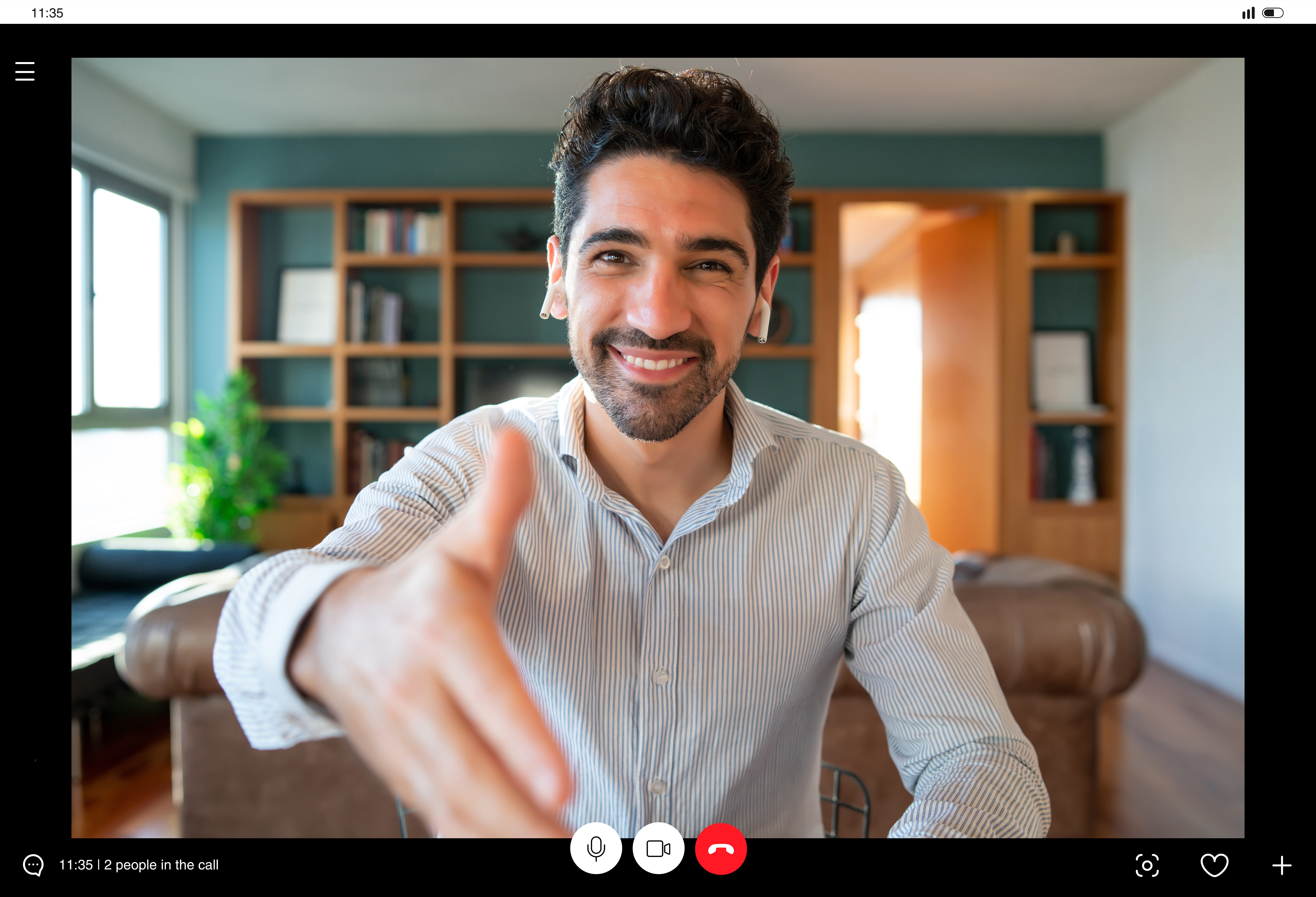
The non-work sessions are consistently better attended than the work ones. Do not fight that, lean into it.
74. Lunch and Learn
- Best for: 10 to 100 people
- Time: 45 minutes
- Cost: Free to low
A short talk over a shared meal slot. Internal speakers work fine and external ones raise attendance. Keep it to one topic and one speaker.
75. Virtual Book Club
- Best for: 4 to 20 people
- Time: Monthly
- Cost: Low
One book a month, one discussion call. Keep the books short. Ambitious picks kill book clubs faster than scheduling problems do.
76. Podcast Club
- Best for: 4 to 25 people
- Time: 30 minutes monthly
- Cost: Free
Same structure as a book club at a third of the commitment, with noticeably better completion rates as a result.
77. AI Prompt Swap
- Best for: 5 to 50 people
- Time: 30 minutes
- Cost: Free
How to Play
- Everyone brings one prompt or workflow that saved them real time in the past month.
- Each person demos it live in three minutes. Show the input and the output, not a description.
- Capture every prompt in a shared document as you go.
- Vote on the most useful one and make it the team default for that task.
- Repeat monthly. The document becomes the team's actual AI playbook.
This is the highest-value item in this category right now, because most AI capability inside organizations is sitting undocumented in individual chat histories. If you want to turn that into something structured across a whole organization rather than one team, that is what corporate AI training is designed to do.
78. Virtual Museum Tour
- Best for: Any size
- Time: 45 minutes
- Cost: Free
Many major museums publish full virtual tours. One person shares their screen and the group walks through together, stopping wherever the conversation goes.
79. Reverse Mentoring Pairs
- Best for: 10 to 100 people
- Time: Monthly
- Cost: Free
Pair a junior employee with a senior one, with the junior person teaching. Works particularly well for tooling and AI fluency, where the expertise genuinely runs that direction.
80. Skill Swap Marketplace
- Best for: 15 to 200 people
- Time: Ongoing
- Cost: Free
A shared board where people post skills they can teach and skills they want to learn. The matches happen on their own once enough people post.
81. Language Exchange
- Best for: 10 to 200 people
- Time: 30 minutes weekly
- Cost: Free
Pair native speakers with learners for short conversation sessions. Especially valuable on internationally distributed teams, where it also builds cross-region relationships.
82. Industry News Roundtable
- Best for: 5 to 30 people
- Time: 30 minutes
- Cost: Free
Each person brings one thing from their field that surprised them this month. Keeps a team informed without anyone having to own a newsletter.
83. Failure Retrospective
- Best for: 5 to 25 people
- Time: 45 minutes
- Cost: Free
Each person shares a professional mistake and what changed afterwards. Leaders go first or this does not work at all. Done well, it builds more psychological safety than any game here.
84. Guest Speaker Series
- Best for: 20 to 300 people
- Time: 45 minutes quarterly
- Cost: Free to paid
An outside voice on a topic adjacent to your work. Alumni, customers, and partners are usually willing and cost nothing.
Which Activities Build Recognition and Celebration
Visibility is harder remotely. These make contribution legible when nobody can see the work happening.
85. Round Robin Recognition
- Best for: 4 to 20 people
- Time: 10 minutes
- Cost: Free
How to Play
- At the start of a regular call, go around the group in order.
- Each person names one thing they personally did well that week.
- Each person then names one thing a teammate did well.
- No prizes, no scoring, no follow-up required.
- Run it at the same point in the same meeting every week so it becomes automatic.
The self-recognition step is the one people skip and the one that matters. Most people are far worse at claiming their own work than praising someone else's.
86. Praise Train
- Best for: 5 to 25 people
- Time: 10 minutes
- Cost: Free
One person compliments a colleague's work; that person compliments someone else, and it continues until everyone has been named. Track who has gone so nobody is missed.
87. Peer Shoutout Channel
- Best for: Any size
- Time: Ongoing
- Cost: Free
A dedicated channel for peer recognition only. Enforce specificity. "Great job" does nothing. "You caught the pricing error before it shipped" does.
88. Good News Channel
- Best for: Any size
- Time: Ongoing
- Cost: Free
Non-work wins. A toddler ate a vegetable. Someone ran their first 5K. Small, human, and the easiest ritual on this list to start from nothing.
89. Virtual Awards Ceremony
- Best for: 15 to 300 people
- Time: 45 minutes
- Cost: Free to low
Quarterly, with mostly absurd categories and two or three sincere ones. The absurd categories are what get people to attend for the sincere ones.
90. Milestone Wall
- Best for: Any size
- Time: Ongoing
- Cost: Free
A running shared document of work anniversaries, launches, and firsts. Prevents the specifically remote problem of milestones passing in complete silence.
91. Digital Gratitude Jar
- Best for: Any size
- Time: Ongoing
- Cost: Free
Anonymous submissions through a form, read out at the end of each month. Anonymity gets contributions from people who never post in public channels.
92. Kudos Cards
- Best for: 10 to 200 people
- Time: 5 minutes
- Cost: Free
A simple template anyone can fill in and post for a colleague. The format lowers the barrier for people who find open-ended praise awkward to write.
93. Anniversary Spotlight
- Best for: Any size
- Time: 10 minutes
- Cost: Free
On each work anniversary, teammates contribute one line about working with that person, compiled and shared. Costs nothing and gets kept.
94. Win of the Week Vote
- Best for: 10 to 100 people
- Time: 10 minutes weekly
- Cost: Free
Nominations posted through the week, a vote on Friday. Makes achievements visible across teams that would otherwise never see each other's work.
What Works for Teams Spread Across Time Zones
Nothing in this section requires everyone online at once, which is the entire point.
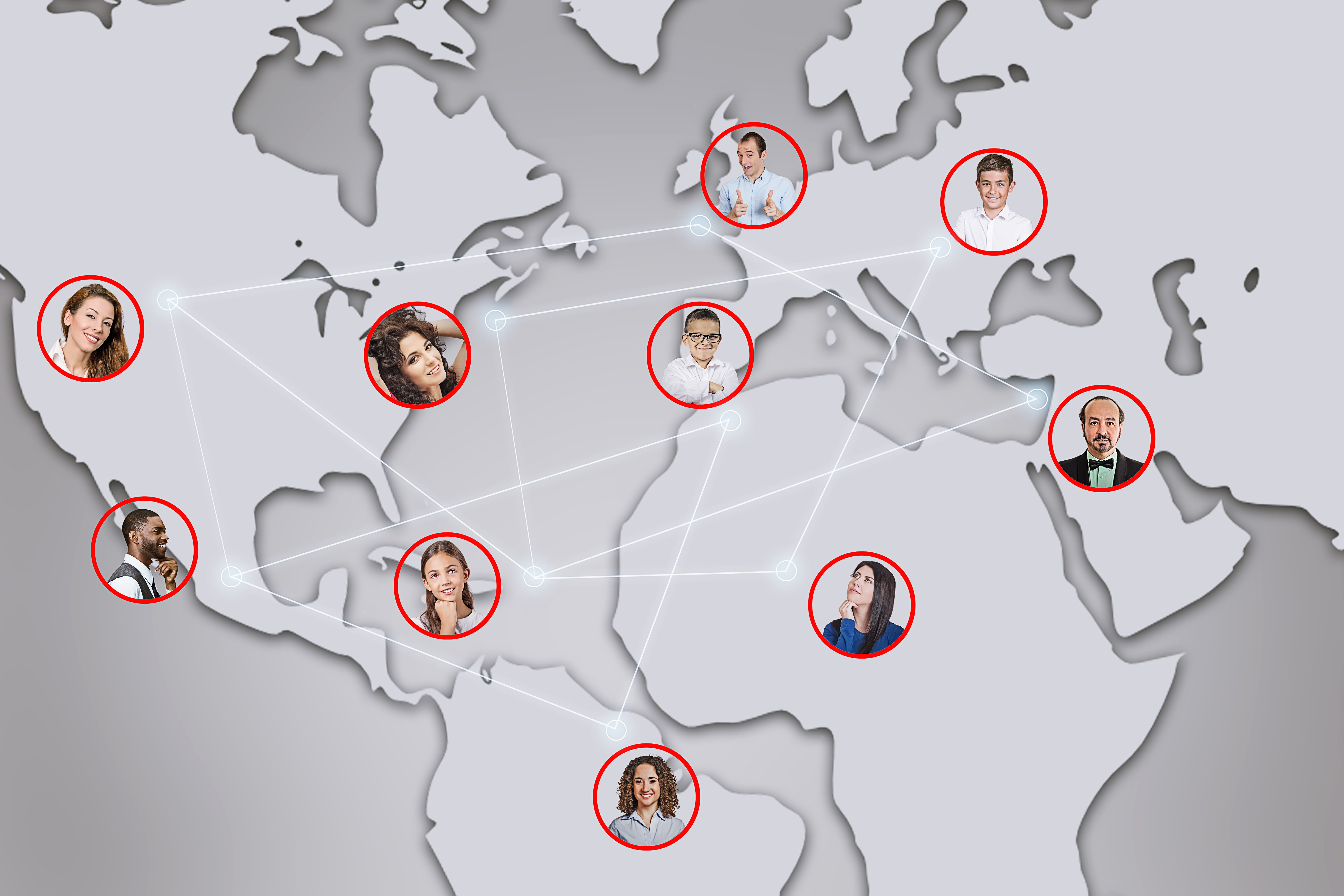
95. Random Coffee Pairings
- Best for: 15 to 500 people
- Time: 20 to 30 minutes per pairing
- Cost: Free to low
How to Play
- Set up automated random matching through a chat app, or draw pairs manually each week.
- Pair across departments and seniority levels deliberately. Same-team pairings waste the mechanism.
- Let the pair schedule their own call whenever it suits both time zones.
- Give three optional conversation prompts so nobody has to open with small talk.
- Re-pair weekly or fortnightly and let people opt out without explanation.
The highest return-per-effort activity in this guide for large or siloed organizations. It is also the one most likely to survive a busy quarter, because it needs no organizer.
96. Weekly Photo Prompt
- Best for: Any size
- Time: 5 minutes
- Cost: Free
One prompt posted Monday, photos accumulating through the week. Nobody has to be online at the same time, and nobody has to attend anything.
97. Collaborative Recipe Book
- Best for: 10 to 200 people
- Time: Several weeks
- Cost: Free
Everyone contributes one recipe with a note on why it matters to them, compiled into a shared document. Works especially well on internationally distributed teams.
98. Async Trivia Thread
- Best for: Any size
- Time: 5 minutes daily
- Cost: Free
One question posted daily, answers in thread, scores tallied Friday. Runs itself once established and takes about two minutes a day to maintain.
99. Handoff Journal
- Best for: 5 to 30 people
- Time: 5 minutes daily
- Cost: Free
A short written note at the end of each region's day, half work and half personal. Solves a real coordination problem while quietly building familiarity.
100. Virtual Pen Pals
- Best for: 20 to 300 people
- Time: Ongoing
- Cost: Free
Monthly pairings across departments and regions with a written exchange rather than a call. Removes the scheduling problem completely.
101. Async Video Standup
- Best for: 5 to 30 people
- Time: 3 minutes daily
- Cost: Free to low
Short recorded video updates instead of a live meeting. People see faces and hear tone without anyone taking a 6am call.
102. Shared Reading List
- Best for: Any size
- Time: Ongoing
- Cost: Free
A running channel for articles and links, each with a one-line reason for sharing. The reason line is what turns a link dump into a conversation.
103. Async Scavenger Hunt
- Best for: Any size
- Time: One week
- Cost: Free
A list of subjective prompts. Find the item attached to your strongest memory. Find your favourite way to unwind. Photos posted whenever people get to it.
104. Team Wiki Sprint
- Best for: 8 to 100 people
- Time: One week
- Cost: Free
Everyone adds or improves one page in the team's shared knowledge base. Collaborative, genuinely useful, and completed on each person's own schedule.
105. Voice Note Exchange
- Best for: 10 to 200 people
- Time: 5 minutes
- Cost: Free
Paired teammates trade a short voice message answering a weekly prompt. Warmer than text, far easier to schedule than a call.
106. Around the World Photo Relay
- Best for: 15 to 300 people
- Time: Ongoing
- Cost: Free
Each region posts a photo of their view as their day begins, creating a continuous handoff around the clock. Simple, and it makes distribution feel like an asset.
Which Activities Scale to Groups of Fifty or More
Large groups fail differently. People disengage silently, and formats that work for twelve break completely at 200.

107. Hosted Game Show
- Best for: 50 to 500 people
- Time: 60 minutes
- Cost: Paid
A professional host running a scored format across breakout rooms. Spectator-friendly by design, so nobody has to speak in order to feel involved. Virtual Game Show is built for exactly this scale, with the host and the scoring handled.
108. Breakout Trivia with Team Captains
- Best for: 50 to 300 people
- Time: 60 minutes
- Cost: Free to paid
How to Play
- Split into breakout rooms of six to eight. Any larger, people stop contributing.
- Assign a captain in each room before the event, briefed on their job: keep energy up and submit the answer.
- Read questions in the main room, then send everyone to breakouts for two minutes.
- Captains submit one answer per team through a shared form.
- Reconvene between rounds to score. Never skip the reconvene; it is what maintains momentum.
The captain role is the entire mechanism. Without it, half the rooms sit in silence.
109. All Hands Live Quiz
- Best for: 50 to 1,000 people
- Time: 15 minutes
- Cost: Free
A fast quiz through a live polling tool, dropped into an existing all-hands. Everyone answers on their phone and the leaderboard updates in real time.
110. Virtual Talent Show
- Best for: 30 to 300 people
- Time: 60 minutes
- Cost: Free
Pre-submitted acts played back with live reactions. Pre-submission removes the technical risk that sinks most live performances at scale.
111. Company-Wide Bingo
- Best for: 50 to 1,000 people
- Time: Ongoing during an event
- Cost: Free
Distributed cards played quietly through a long town hall. Gives the half-attentive something to do that keeps them watching.
112. Speed Networking Rounds
- Best for: 40 to 300 people
- Time: 30 minutes
- Cost: Free
How to Play
- Use automatic breakout room assignment set to randomize.
- Run six rounds of four minutes each, pairs or trios.
- Post one prompt per round in the main chat before rooms open.
- Close rooms automatically with a thirty-second warning.
- End in the main room and ask a few people to name someone new they met.
The most efficient way to get people meeting outside their department. Short rounds are essential. Anything over five minutes and pairs run out of things to say.
113. Poll Battle
- Best for: 50 to 500 people
- Time: 10 minutes
- Cost: Free
A rapid series of opinion polls with results shown live. Nobody unmutes and everybody participates, which is exactly the constraint you are solving at scale.
114. Department Relay
- Best for: 60 to 400 people
- Time: 45 minutes
- Cost: Free
Departments compete as teams across a sequence of short challenges. Builds cross-functional rivalry, which is more useful than it sounds.
115. Virtual Conference Hallway
- Best for: 50 to 400 people
- Time: 45 minutes
- Cost: Free to paid
Open themed breakout rooms and let people move between them freely. Recreates the part of a conference people actually value.
116. Mass Emoji Vote
- Best for: 100 to 2,000 people
- Time: 5 minutes
- Cost: Free
Present options and have the whole company vote by reaction. Works at any scale and takes almost no preparation, which makes it a reliable filler.
117. Crowdsourced Trivia Build
- Best for: 50 to 500 people
- Time: Two weeks plus a 45-minute event
- Cost: Free
Every department submits questions in advance, then the whole company plays the combined quiz. The submission phase is half the engagement.
How Do You Include Remote and In-Office People Equally
Most teams that describe themselves as remote are not fully remote. There is usually a cluster of people in an office, a founder who comes in twice a week, or a regional hub. This section is for that reality, and it is the section most virtual team building guides skip entirely.
Hybrid is not remote plus in-person. Run badly, it means one group has a great time while the other watches through a laptop propped on a conference table. Every activity below is designed so that being in the room confers no advantage.

118. Mixed Team Trivia
- Best for: 15 to 200 people
- Time: 45 minutes
- Cost: Free to paid
How to Play
- Build teams deliberately so no team is entirely office-based or entirely remote.
- Every participant joins from their own device, including people sitting in the office.
- Team discussion happens in breakout rooms, not out loud in the room.
- Use headphones in the office to prevent audio feedback and eavesdropping.
- Score and announce in the main room.
Forcing the two groups onto the same footing is the whole design. A team that can talk out loud in a room will always beat one that cannot.
119. One Screen Per Person
- Best for: Any size
- Time: Ongoing
- Cost: Free
Everyone joins from their own device, including office-based people. Removes the conference room audio problem and puts every participant on equal footing.
120. Cross Location Buddy Pairs
- Best for: 20 to 200 people
- Time: Monthly
- Cost: Free
Pair one office-based person with one remote person for a recurring casual call. The most direct available fix for the remote visibility gap.
121. Synchronized Snack Delivery
- Best for: 10 to 150 people
- Time: 30 minutes
- Cost: Paid
The same food arrives for everyone, in-office and remote, timed to the same call. A small gesture with a disproportionate effect on whether remote people feel like guests.
122. Hybrid Escape Room
- Best for: 8 to 60 people
- Time: 60 minutes
- Cost: Paid
A digital puzzle format everyone accesses on their own screen regardless of location. Physical presence confers no advantage, which is the requirement.
123. Remote First Round Table
- Best for: 5 to 40 people
- Time: 20 minutes
- Cost: Free
Remote participants speak first in every round. A rule rather than an activity, and it changes the dynamic of every meeting it is applied to.
124. Shared Office Playlist
- Best for: Any size
- Time: Ongoing
- Cost: Free
Remote employees add tracks to whatever plays in the office. Small, slightly silly, and it gives remote people a presence in a physical space.
125. Hybrid Show and Tell
- Best for: 8 to 50 people
- Time: 20 minutes
- Cost: Free
Everyone shows something from where they are working that day, office or home. Levels the two contexts by treating them as equally interesting.
126. Rotating Host Rule
- Best for: Any size
- Time: Ongoing
- Cost: Free
Facilitation rotates, and remote employees host at least half the time. Whoever runs the meeting controls it, so rotating the role rotates the power.
Which Activities Give Back Through Charity and Volunteering
These trade some of the fun for meaning, which suits certain teams considerably better.

127. Virtual Charity Trivia
- Best for: 20 to 300 people
- Time: 60 minutes
- Cost: Low
How to Play
- Let the team nominate and vote on the receiving charity in advance. Ownership of the choice matters more than the amount.
- Set a small entry donation per person and have the company match the total.
- Run a standard team trivia format with breakout rooms.
- Add a bonus round of questions about the charity's work.
- Announce the final total at the end and share it publicly afterwards.
The same event as ordinary trivia with a different reason to show up, which is often enough to bring in people who normally skip social events.
128. Remote Skills Volunteering
- Best for: 5 to 50 people
- Time: Half a day
- Cost: Free
The team donates its actual professional skills to a nonprofit. Design, data, marketing, whatever you do. Higher impact per hour than most fundraising.
129. Fundraising Step Challenge
- Best for: 20 to 500 people
- Time: One month
- Cost: Low
A step challenge where distance converts into donations. Combines the wellness and charity angles without doubling the organizing effort.
130. Care Package Assembly
- Best for: 10 to 100 people
- Time: 90 minutes
- Cost: Paid
Materials shipped to everyone, assembled live on a call, mailed to a shared recipient organization. Tactile, and it produces a visible result.
131. Letter Writing Campaign
- Best for: Any size
- Time: 45 minutes
- Cost: Low
Written notes for hospital patients, deployed service members, or isolated seniors, drafted together on a call. Costs almost nothing and lands hard.
132. Team Charity Vote
- Best for: Any size
- Time: Ongoing
- Cost: Low
The team nominates and votes on where a quarterly donation goes. Ownership of the decision is the team building part, not the donation itself.
133. Virtual Mentoring for Students
- Best for: 5 to 50 people
- Time: 1 hour monthly
- Cost: Free
Employees mentor students through an established program. Sustained, meaningful, and it develops the mentors as much as the students.
134. Open Data or Open Source Day
- Best for: 5 to 40 people
- Time: One day
- Cost: Free
A day contributing to open source projects or public data sets relevant to your field. Suits technical teams who find conventional charity events hollow.
135. Sustainability Challenge
- Best for: Any size
- Time: One month
- Cost: Free
A month of tracked small changes, from commuting to energy use, scored by team. Pairs naturally with a company match to an environmental cause.
What Seasonal Activities Work Throughout the Year
Recurring anchors in the calendar. For extended formats, see our guide to virtual retreat ideas.
136. Virtual Holiday Party
- Best for: 20 to 500 people
- Time: 90 minutes
- Cost: Paid
Structured around a hosted activity rather than open social time. Unstructured virtual parties fail almost every time, regardless of budget. Virtual Holiday Party packages the structure so the evening has a spine rather than an open Zoom room.
137. Costume or Theme Contest
- Best for: Any size
- Time: 20 minutes
- Cost: Free
Halloween, ugly sweaters, or a theme of your own. Voting by reaction keeps it fast and keeps it from becoming a popularity contest.
138. New Year Intentions Exchange
- Best for: 5 to 40 people
- Time: 30 minutes
- Cost: Free
One professional and one personal intention each, revisited at the six-month mark. The revisit is what separates this from small talk in January.
139. Summer Virtual Field Day
- Best for: 20 to 200 people
- Time: 90 minutes
- Cost: Free to paid
A sequence of deliberately silly timed challenges run from home. Balloon keep-ups, desk chair races, sock folding sprints. Low dignity by design.
140. Year End Highlight Reel
- Best for: Any size
- Time: 30 minutes
- Cost: Free
How to Play
- In November, ask everyone to submit one moment from the year. A photo, a screenshot, or two sentences.
- Include work moments and personal ones. Do not filter for impressiveness.
- Compile into a simple slideshow or short video in submission order, not ranked.
- Play it back on the last call of the year with no commentary during.
- Open the floor afterwards and let people add what they remember.
The best closing ritual in this guide, and it improves every year you run it because the archive grows.
141. Themed Trivia Variations
- Best for: 10 to 300 people
- Time: 45 minutes
- Cost: Free to hosted
The standard trivia format reskinned for the calendar. Each of these is a distinct event to the people playing it, even though the mechanics are shared:
- Halloween trivia: horror films, folklore, and costume history
- Winter holiday trivia: traditions across different cultures, deliberately not one holiday
- Summer trivia: travel, music, and sport
- Company history trivia: launches, milestones, and old office photos
- Decade trivia: one decade per round, which naturally spreads advantage across age groups
142. Virtual Gift Exchange
- Best for: 8 to 100 people
- Time: 45 minutes
- Cost: Low
Randomized pairings with a spending cap and a shipping deadline. Set the cap low. High caps create quiet pressure for anyone on a tight budget.
143. Ugly Sweater Contest
- Best for: Any size
- Time: 15 minutes
- Cost: Free
Wear it to the call, vote by reaction. Requires zero organizing and reliably produces the most photographed moment of the season.
144. Gratitude Round
- Best for: 5 to 40 people
- Time: 20 minutes
- Cost: Free
Each person names one thing at work they are grateful for and one person who made it possible. Fits the Thanksgiving period and works any time.
145. Lunar New Year Celebration
- Best for: Any size
- Time: 45 minutes
- Cost: Low
Shared food, traditions explained by team members who celebrate it, and a short history segment. Let the people who observe it lead the session.
146. Diwali Celebration
- Best for: Any size
- Time: 45 minutes
- Cost: Low
A rangoli design challenge, shared recipes, and stories from colleagues who celebrate. Same principle: participation led by the people it belongs to.
147. Heritage and Identity Panels
- Best for: 20 to 300 people
- Time: 45 minutes
- Cost: Free
Employee-led panels tied to heritage and awareness months. Voluntary participation only, and pay or formally recognize the organizers' time.
148. Earth Day Challenge
- Best for: Any size
- Time: One week
- Cost: Free
A week of tracked environmental actions with team scoring, closing with a company match to a chosen cause. Slots naturally into April.
149. Back to School Skill Share
- Best for: 10 to 100 people
- Time: One month
- Cost: Free
A September push where everyone teaches or learns one new thing. Uses the natural energy of the month when a lot of teams reset anyway.
150. Digital Declutter Week
- Best for: Any size
- Time: One week
- Cost: Free
A shared week for clearing inboxes, files, and stale channels, with progress posted publicly. Genuinely useful, mildly competitive, and free.
How Do You Choose the Right Activity for Your Team
Work through it in this order.
Start with group size, because it eliminates the most options fastest. Under 15 people, almost everything here works. Between 15 and 50, you need breakout rooms or a format built for spectating. Over 50, you need a host and a structure that does not require everyone to speak.
Then check your actual time budget, not your aspirational one. If the honest answer is fifteen minutes a week, build a ritual from the icebreaker and recognition sections rather than scheduling an event nobody will protect on their calendar.
Then look at what your team is missing rather than what sounds fun. A team that does not know each other needs the get-to-know-you section. A team that knows each other but does not trust each other needs collaborative problem solving, which is where trust-focused activities earn their place. A team that is burnt out needs the wellness section and nothing that adds work.
Finally, decide whether you should be running it at all. If one person has planned every event for a year, that is an unpaid second job, and it usually ends with them quietly stopping.
How Do You Run Virtual Team Building Without It Feeling Forced
The objection is always some version of "what if people hate this," and it is a fair objection.
Make participation genuinely optional, then behave as though you meant it. Attendance that is technically optional but socially mandatory produces resentment with extra steps.
Give notice. Surprising a quiet person with "share something personal, right now" is not spontaneity; it is an ambush. Advance warning lets people prepare, and prepared people participate.
Let the team choose. Post three options and let people vote. Chosen activities carry a completely different energy than assigned ones.
Schedule inside working hours. Team building placed after 5pm is not a benefit; it is unpaid overtime with a party hat on.
And keep it short. Almost everything here is better at 20 minutes than at 60. Ending while people still want more is the entire trick.
Where to Start With Your Next Virtual Team Event
If you are building a program yourself, take three activities from this guide, one icebreaker, one recognition ritual, and one monthly event, and run them for a full quarter before adding anything else. Consistency beats variety early on, and most programs die from over-ambition rather than under-ambition.
If you would rather not spend your quarter on logistics, that is what Teamland does. We handle the planning, the facilitation, and the hosting, so the person who normally organizes everything gets to participate for once. Sessions run for groups from small teams up to 500 or more.
Get started with Teamland to talk through what would fit your team.
Frequently Asked Questions
How often should remote teams run virtual team building activities?
A short weekly ritual plus one longer session monthly or quarterly works for most teams. The weekly rituals do the real work of building familiarity. Larger events are for momentum and shared memory. Teams spread across many time zones usually find monthly dedicated events more sustainable than weekly ones.
What is the ideal length for a virtual team building activity?
Twenty to forty-five minutes for most formats. Anything past an hour needs a professional host and a genuinely strong reason. The most common planning mistake is scheduling for length rather than for energy.
How do you get skeptical employees to participate?
Make it optional and mean it, give advance notice, let the team vote on what to do, and hold it during work hours. Skeptics usually come around once they see colleagues enjoying something they were not forced into. Compulsory participation converts skeptics into resisters.
Do virtual team building activities work for hybrid teams?
Yes, but only with deliberate design. Have everyone join from their own device, including office-based people, mix teams across locations, and let remote participants speak first. Activities that depend on physical proximity will always leave remote people watching.
What are the best virtual team building activities for large groups?
Formats where everyone participates simultaneously rather than in turn. Team trivia with breakout rooms, live polling quizzes, company-wide bingo, and speed networking all hold up past fifty people. Anything requiring individuals to speak one at a time breaks down at scale.
What is the difference between DIY and professionally hosted activities?
DIY is free and flexible, but someone on your team absorbs the planning and facilitation. Hosted experiences handle logistics and energy management, which means the organizer gets to participate. The trade-off is cost against internal time and polish.
How do you measure whether virtual team building is working?
Watch participation rates in optional activities, whether people reference past events unprompted, and whether cross-team requests for help increase. Engagement survey scores move too, but slowly. Behavioural signals move first.